Configuration Gateways
Overview
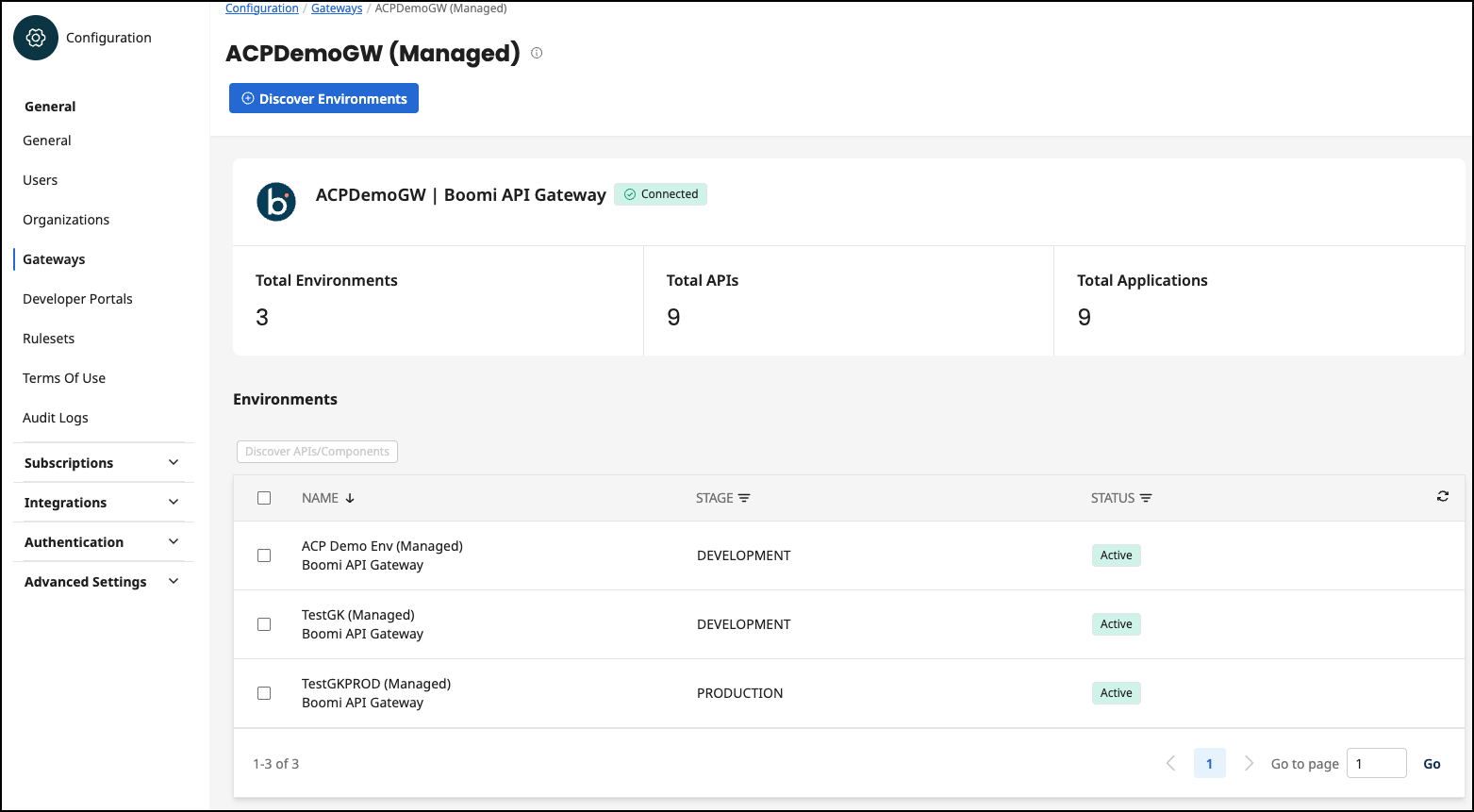
All Gateways are listed on the Gateways page. Select any gateway name for details on its environments, APIs, and Applications.
Boomi API Gateways allow a one-to-many connection between a gateway and its environments. All Boomi-managed gateways and environments that exist in the Boomi Platform are automatically discovered in API Control Plane. Non-managed Boomi API Gateways are those that have an agent configured and are not automatically discovered in API Control Plane.
For all other gateway types, the gateway and environments are not automatically discovered.
You cannot delete Boomi-managed Gateways in API Control Plane. You must delete them in the Boomi Platform.
Discover Environments
Select the Discover Environments button to import all environments from any non-managed Boomi API Gateways.
Discover APIs and Components
APIs and associated components are not discovered automatically. Use the Discover APIs/Components button to discover all APIs and plans, applications, subscriptions, and API Products.
- Select the checkbox next to the environment name and select Discover APIs/Components.
- Optionally, select Discover components to discover plans, applications, subscriptions, and API Products.
- Optionally, select Rediscover previously-deleted APIs to rediscover APIs that were deleted from the API Control Plane.
- Select Discover APIs.
Gateway States
- Connected - Gateway is connected to API Control Plane.
- Agent Offline - The agent is not connected.
Gateway Actions
Select More Actions for the following options:
- Renew Agent Token - For non-managed Gateways only. Creating a new agent token will invalidate the existing token. The connection of the agent to the gateway will remain interrupted until you set up the new token in the agent configuration you downloaded from the environment wizard.
- Reload Agent Status - Reloads the status of the agent.
- Change Gateway Name - Change the Gateway name.
- Delete - Deletes the gateway from API Control Plane. Boomi-managed gateways cannot be deleted from API Control Plane.
Capabilities of the Agent
The capabilities describe which functionality is supported on which platform with your current Gateway.
You can find more information on which capabilities exist, what they do and on which platform they are available here: Environment Capabilities.
